Accessibility Services.
Accessibility services for sites that work for everyone.
Audits, remediation, accessible design and builds, and ongoing monitoring, held to WCAG 2.2 AA and checked with real assistive technology.
What We Do
Five ways we make a site usable.
Accessibility is not a layer added at the end. It is part of how a site is designed, built and maintained, and it is measured against a standard: WCAG 2.2.
Automated scanning finds a large share of the problems. People find the rest. We use both, and we fix what we find in the source rather than covering it with an overlay.
Audits
A clear picture of where your site stands today.
- Full-site automated scanning against WCAG 2.2
- Manual review of key templates and user flows
- Keyboard and screen reader testing
- Findings ranked by who is affected and how badly
- A remediation plan your team can assign
Remediation
Fixes made in the source, where they reach everyone.
- Markup, focus management and ARIA corrections
- Color contrast and typography adjustments
- Accessible forms, navigation and media
- Alternative text and captions
- Retesting each fix before it ships
Accessible design and build
Accessibility settled before the first line of code.
- Accessible design systems and component libraries
- Semantic, keyboard-operable builds
- Reduced motion and responsive behavior
- WordPress and Next.js sites tested with assistive technology
- Documentation your team can maintain
Ongoing monitoring
Sites change. Accessibility has to keep pace.
- Scheduled full-site scans
- Score trends and regression alerts
- Review of new pages, features and content
- Evidence records to support a VPAT or ACR
Training
Teams that can keep the work accessible.
- Workshops for designers, developers and content editors
- Guidance on writing alt text, headings and link text
- Accessible authoring habits for your CMS
- Practical checklists for review and launch
Our Product
Scan the whole site with TrustScans.
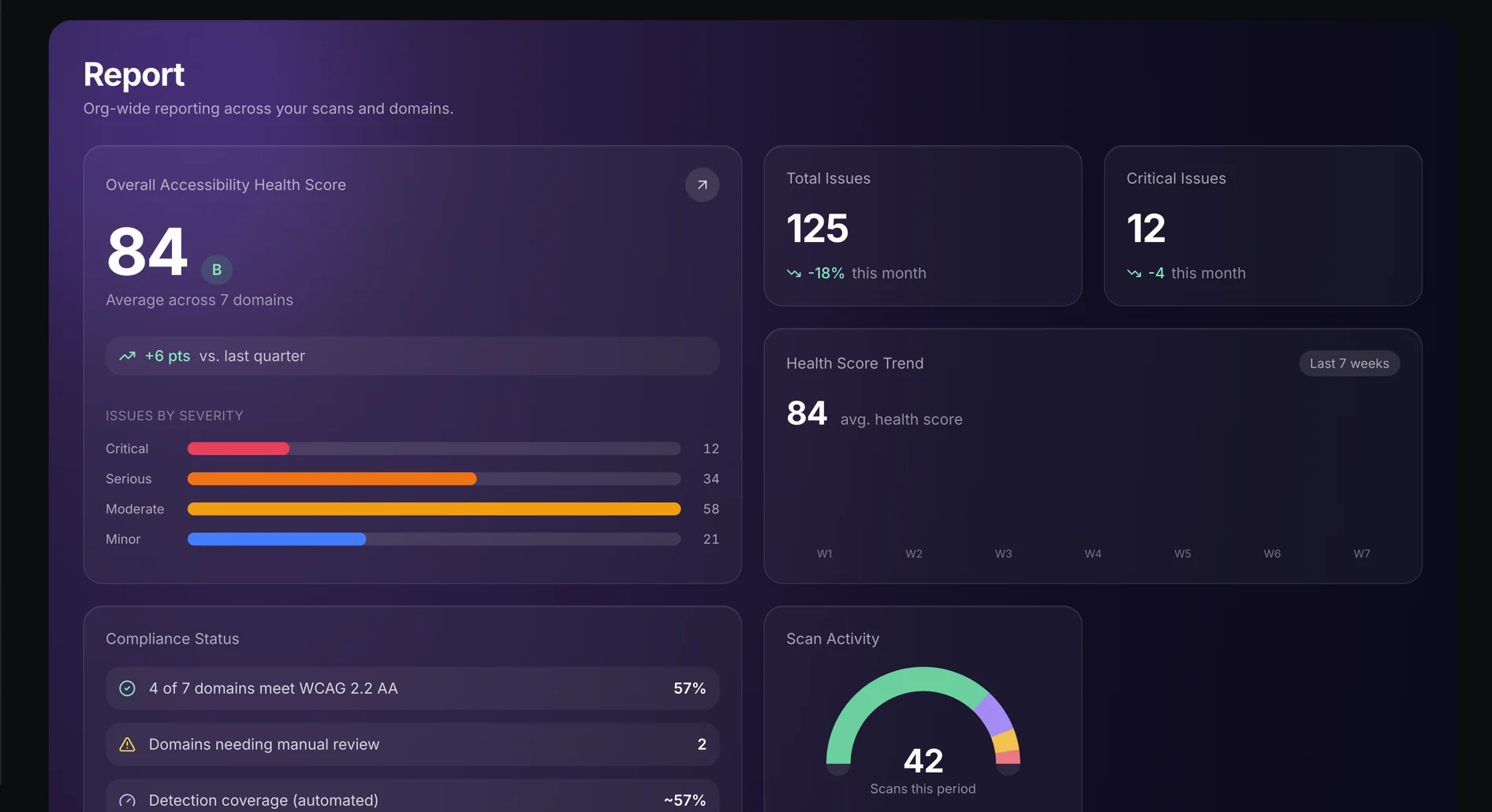
TrustScans is the accessibility scanning platform we built. It crawls an entire site, checks every page against WCAG 2.2, and produces reports you can hand to a client, a developer or a compliance team.
It is the first step of our audits and the engine behind our monitoring. It is also available on its own.
TrustScans
The whole site, not one page
Add a URL and TrustScans finds the pages itself, up to your plan’s page limit.
Pages as visitors see them
Each page loads in a real browser, so JavaScript-heavy sites are checked as rendered.
WCAG 2.0, 2.1 and 2.2
Choose the version and the level, A through AAA, that you are held to.
Findings your team can act on
Each finding names the page, the element, the WCAG criterion and the guidance, with a screenshot.
Recurring scans
Weekly or monthly scans, score trends, and an email when a site’s score drops.
No overlay
Nothing is injected into your site. Fixes belong in the source code.
Automated scanning cannot judge whether alt text is meaningful or a checkout works with a screen reader. That is why every audit pairs the scan with manual testing.
Partnership
Trusted by the American Printing House for the Blind.
The American Printing House for the Blind (APH) is a Prolific client and partner. We maintain and extend its WordPress and WooCommerce platform, including ongoing security updates and enterprise integrations with SysPro and SAP Business Technology, and we are preparing it for a future overhaul.
Our partnership with APH includes manual accessibility testing and compliance, the human review that automated scanning cannot replace.
How It Works
From first scan to lasting fixes.
Scan and audit
We scan the full site with TrustScans, then test key templates and flows by hand with a keyboard and a screen reader.
Prioritize
Findings are grouped by cause and ranked by impact, so a shared component is fixed once and the worst barriers go first.
Fix and build
We remediate in your codebase or rebuild the pieces that need it, retesting each change against the criterion it addresses.
Verify and monitor
We confirm the fixes with assistive technology, then schedule recurring scans so regressions surface early.
We hold our own site to the same standard. Read our accessibility statement.
How a project runs
It’s a loop,
not a line.
After launch we measure, learn and start again.
We don’t launch and disappear.
- Discovery
- Design
- Development
- Delivery
Launch is the start.

Related Work
Cobell Scholarship.
We redesigned the Cobell Scholarship’s digital presence, guiding Native students from eligibility to application with a clear, encouraging path into the OASIS portal.
Read the story →Ready to make your site
accessible?
Tell us about your site and the standard you need to meet. We’ll start with a scan.